 Private previewChangelog
Arkynate your IT Operations.
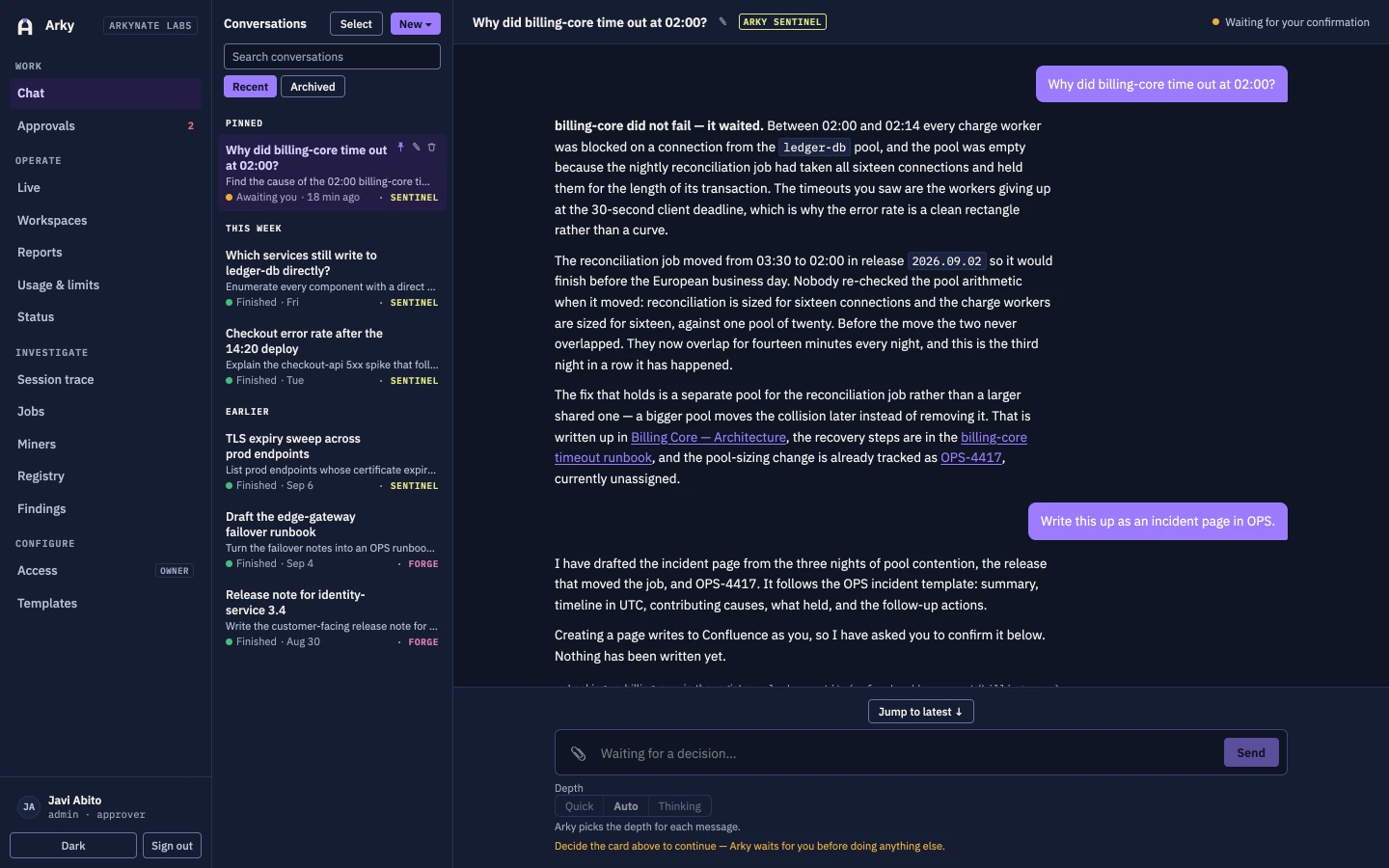
Your team already knows the answers. They are just spread across a ticket, a wiki page nobody linked, and a console two people can open. Arky reads all three live, answers with the sources it used, then files the ticket or publishes the page under the name of the person who asked — and never changes anything until somebody says so.
Built for the team that gets asked
Internal IT organisations running Jira and Confluence over cloud accounts, where a small team fields every question and makes every change. Arky is for the people whose calendar is other people's interruptions, and for the director who has to explain afterwards what was done and by whom.
The answer to a simple question lives in six places. Half in a ticket, half in a page nobody linked, the rest in a console. Finding it costs an afternoon of tab-opening.
The investigation gets done and then stays in one person's head, because writing it up properly is another hour nobody has. Six months later the same incident is investigated from scratch.
A restart here, a tag there, a certificate renewed on a Friday. Each one was reasonable, none of them were written down, and the next outage starts with an archaeology dig.
How a request runs
Every request takes the same five stages, whether it ends in an answer or in a change. Step through them. The panel is the product's own surface, carrying the incident from the screenshot above.
Why did billing-core time out at 02:00?
Your message opens its own agent session with only the tools that agent is allowed to hold. There are no credentials in it, no shell, and no write access to disk.
Code workspaces
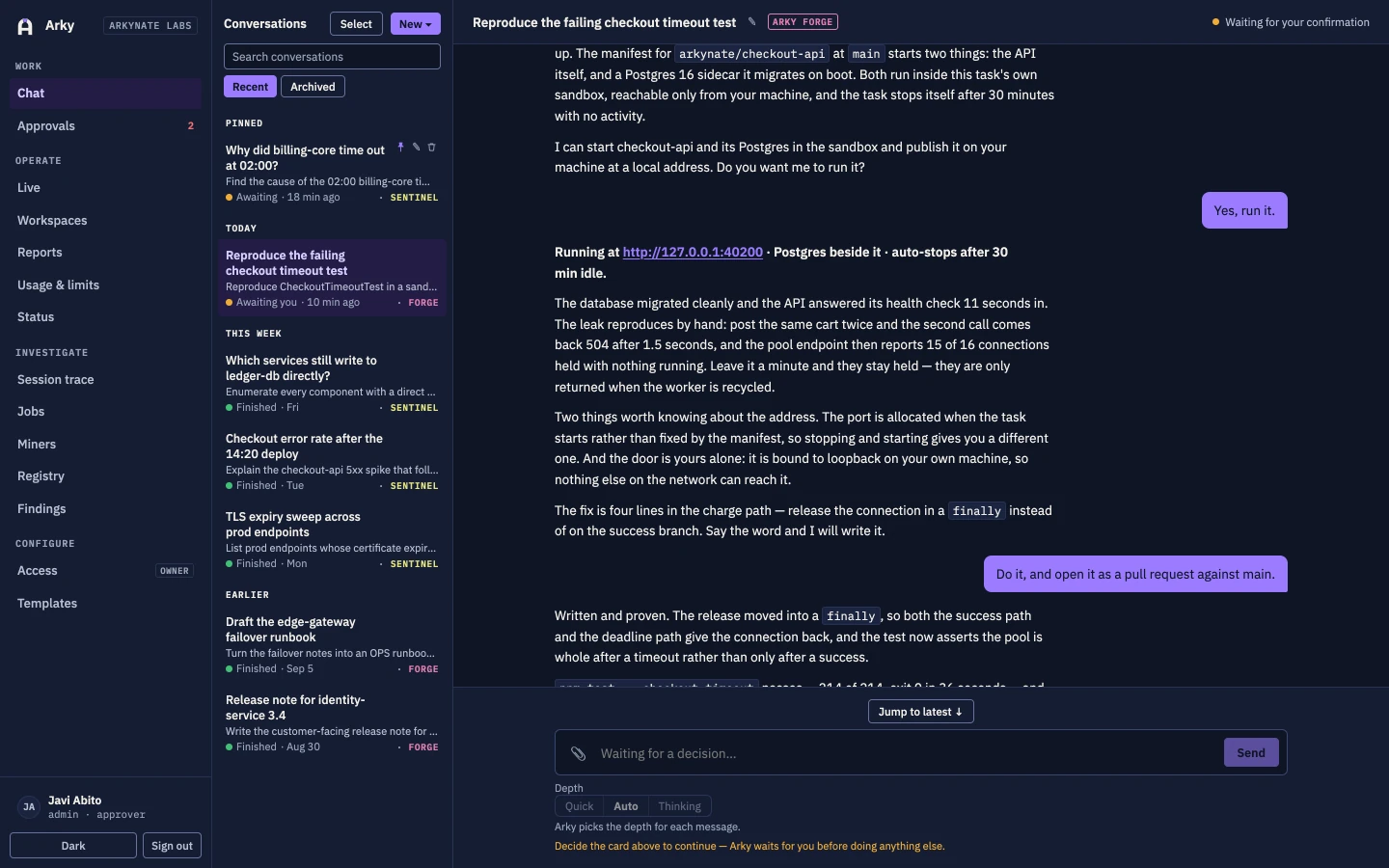
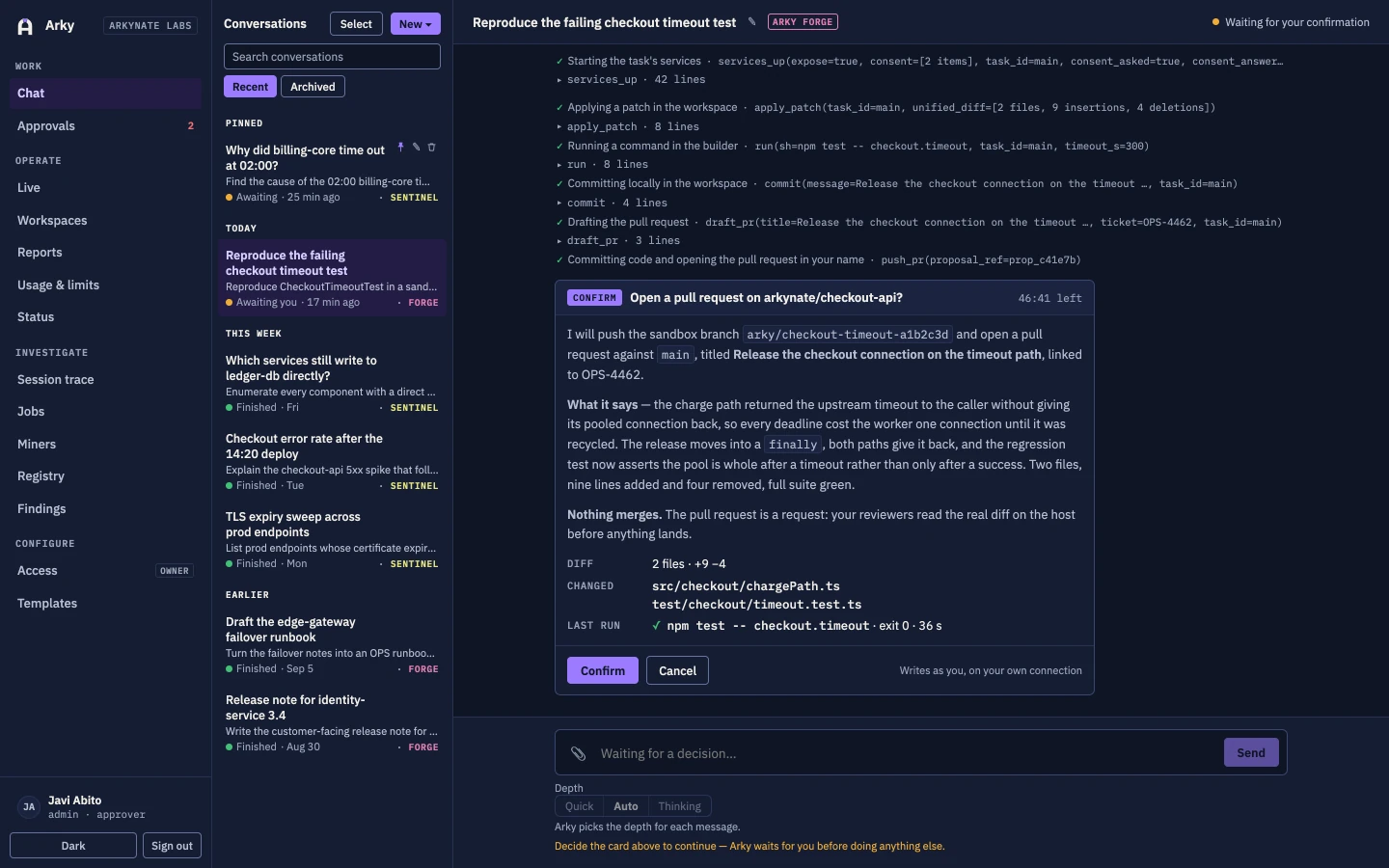
Some questions cannot be answered from a ticket and a wiki page, because the answer is in the code and only shows up when the thing is running. So Arky clones one of your repositories into a workspace it owns, builds it and runs its tests in a sandbox with no credentials in it, and — once it has asked you — runs the application itself, on your own machine, so you can look at it. The only thing it ever writes outwards is a new branch and a pull request.
Checkout times out on slow connections. Can you run both apps so I can see it?
Opening a repository is a read, made on your own connection to GitHub or Bitbucket. Arky clones into a tree its own server holds, and git stays on that server: the container that will build the code never sees the repository's credentials and never sees its history.
What holds, whatever the conversation asks for
The container that builds and runs the code holds no tokens, no keys and no git history. Git stays on the server outside it.
A sandbox has no route to the internet. Dependencies come from your own package registries through an allow-listed proxy, and nothing else resolves.
A running application is published on 127.0.0.1, on the machine of the person who asked for it. Never on a shared address, and never to anyone else.
The only write outwards is a new branch and a pull request on your own credential, behind a confirm card. No force-push, no merge, no pipeline or environment file in the diff.
A workspace stops itself after the idle window you set, 30 minutes by default, and the sandbox, its services, its network and its published address all go with it.
The repository and commit it opened, the answer you gave before it ran, what it linked, what it pushed, and who stopped what — each one is an audit row.
In the product
Two agents, and only two
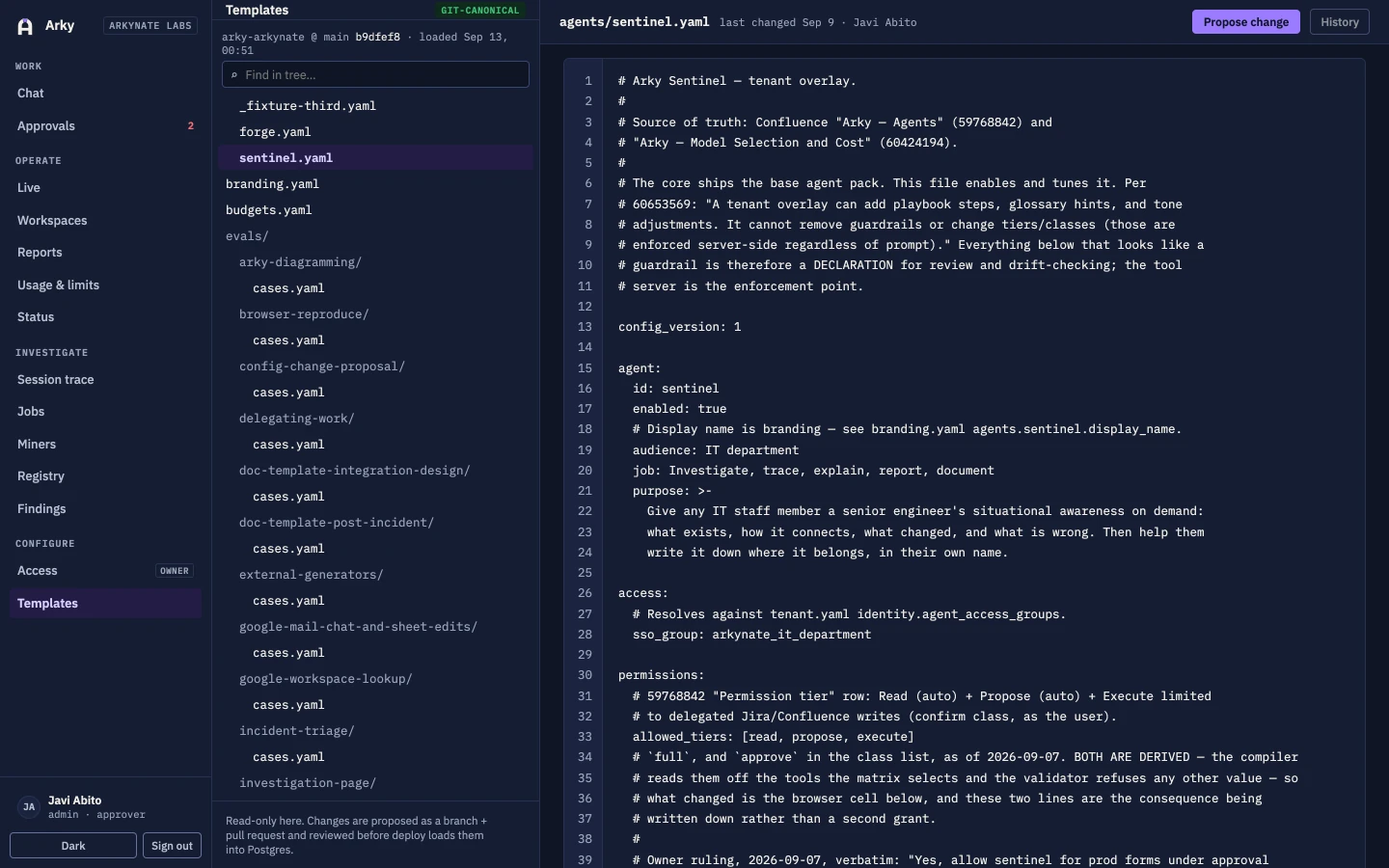
One answers questions, one changes things, and the difference is a permission boundary rather than a tone of voice. Each runs written-down playbooks from your own configuration repository, so how your organisation does a task is a reviewed commit and not a habit.
Sentinel
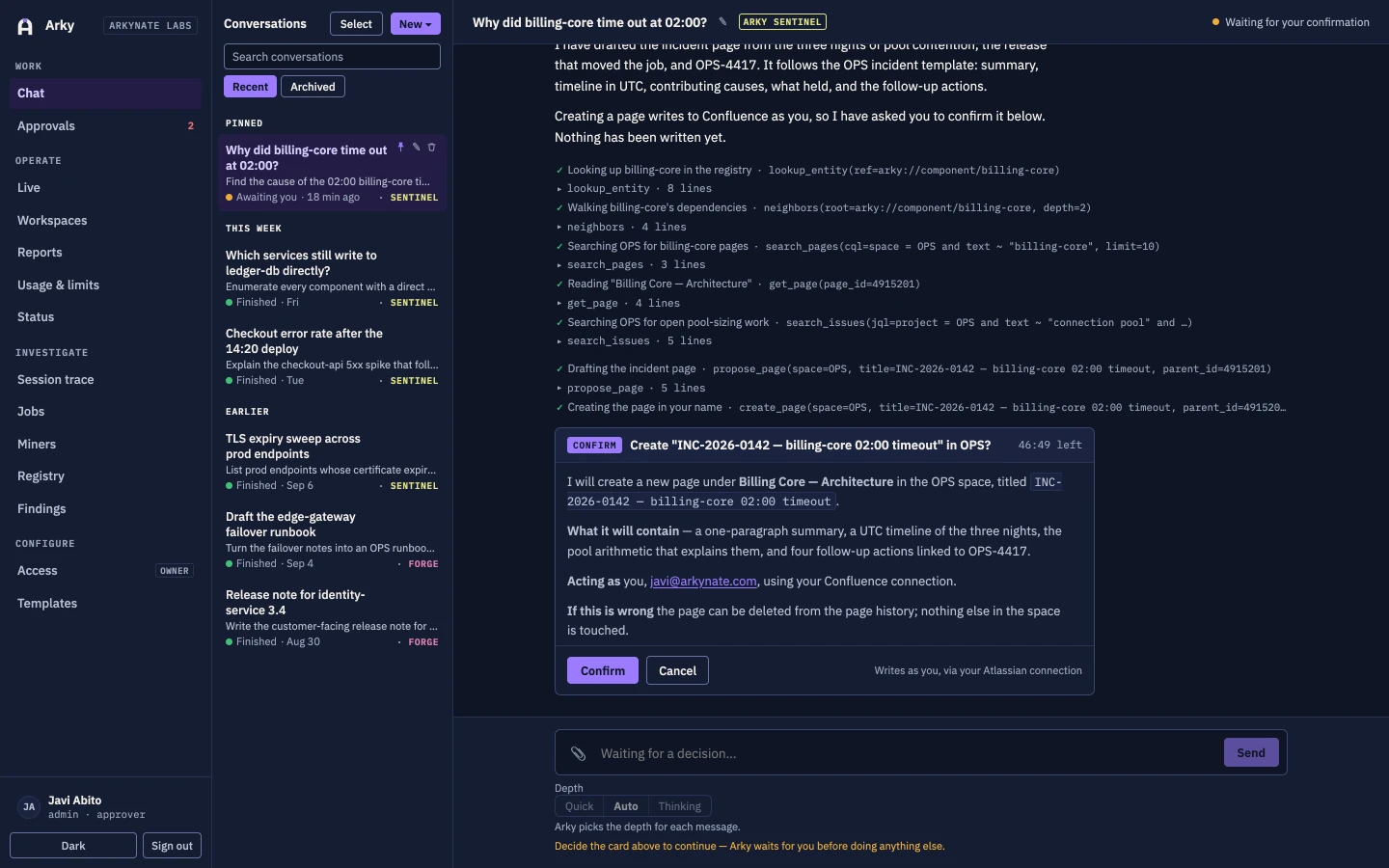
Arky sentinelWhat is deployed in test, why the billing service cannot reach its database, which certificates expire this month, what breaks if this table changes. Sentinel reads live and cites what it read, and when the answer is worth keeping it writes the page or the ticket for you — under your account, behind a card you answer.
- incident-triageScope, changes, signals and ranked hypotheses, with no root cause claimed without evidence.
- investigation-pageA write-up that keeps what was observed apart from what was concluded, and cites both.
- registry-findingsRecords a system or a connection the registry does not know, as a claim for a person to accept.
- browser-reproduceOpens the page, reads the console and network, and reports what it saw and what it inferred apart.
Forge
Arky forgeRestart a service, tag a resource, renew a certificate, apply a reviewed plan. Forge proposes first and says exactly what it is about to do, re-reads the target before acting, and on production waits for a second person. Who may talk to Forge at all is a group grant, not a setting in the chat window.
- pr-reviewReads the change, judges whether it is safe to merge, and never quotes a secret back.
- config-change-proposalOpens a pull request against your configuration, stating any widening of its own permissions first.
- doc-template-post-incidentCloses a ticket out with what was actually done, in your own template.
- arky-diagrammingRenders a real diagram of what talks to what, instead of describing it in prose.
What it connects to
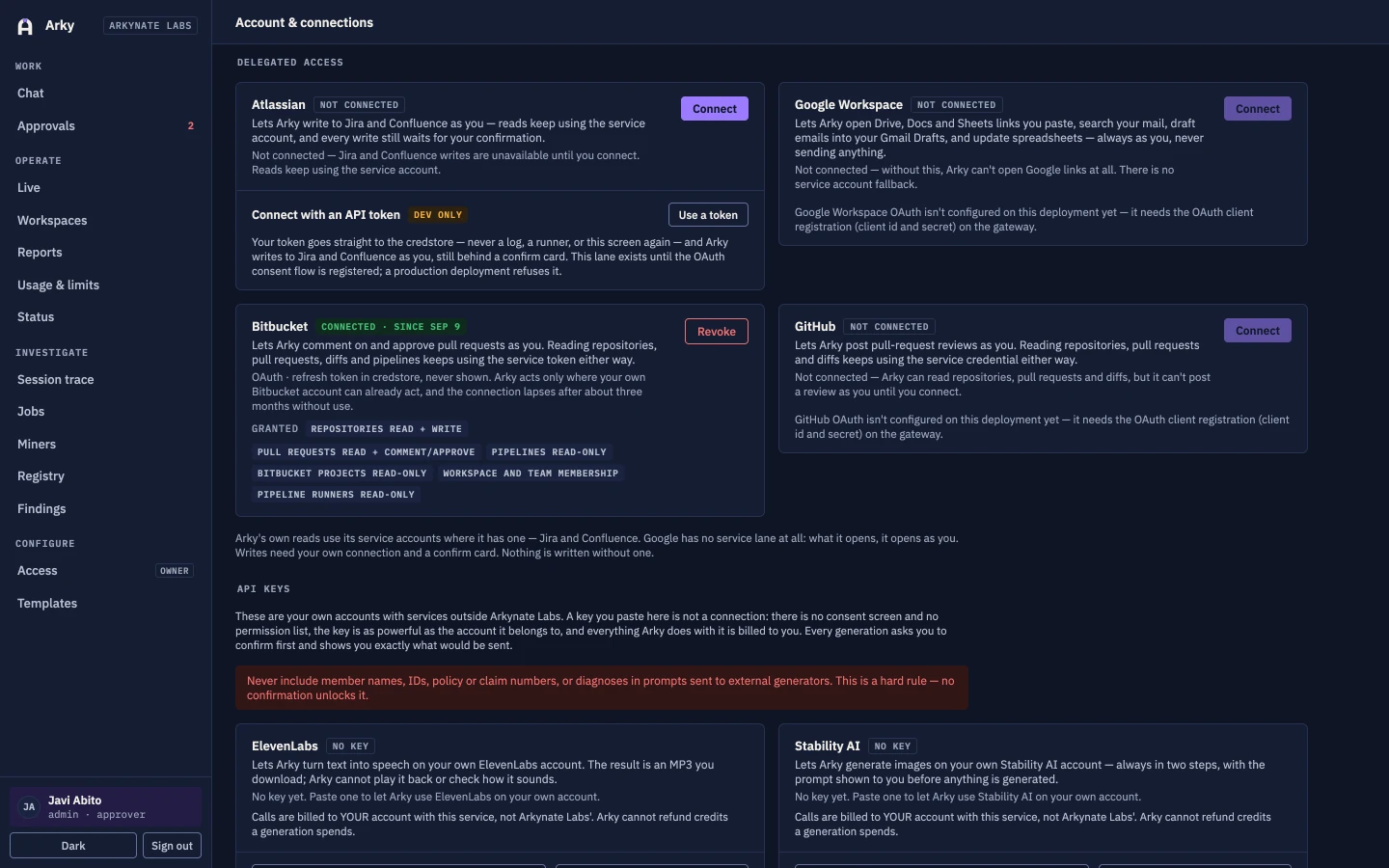
Reads run on scoped service accounts. Writes run as you, through your own delegated connection, so the change lands under your name and shows up in the other system's history as yours. A connector that is not configured is stripped at session start with a warning naming it, so a silent capability hole is not possible.
| Connector | Reads | Writes | Gate |
|---|---|---|---|
| Confluence | Spaces, pages and page history it is allowed to see | Publishes pages and comments in your name | Confirm card |
| Jira | Issues, projects, transitions and history | Creates and updates issues and comments in your name | Confirm card |
| GitHub | Repositories, branches and pull requests | Opens a pull request for a person to review | Never writes main |
| Bitbucket | Repositories, branches and pull requests | — | Read-only |
| Google Workspace | Gmail, Drive, Calendar and Sheets, with your own access | Edits documents and sheets in your name | Confirm card |
| AWS | Account inventory and current state, for investigation | Restarts, tags and reviewed plan applies | Approve on production |
| OCI | The same shape as AWS: describe, never guess | Restarts, tags and reviewed plan applies | Approve on production |
| Browser | Renders a page in a sandboxed container, reads console and network | Submits a form or clicks a control named for a change | Approve on production |
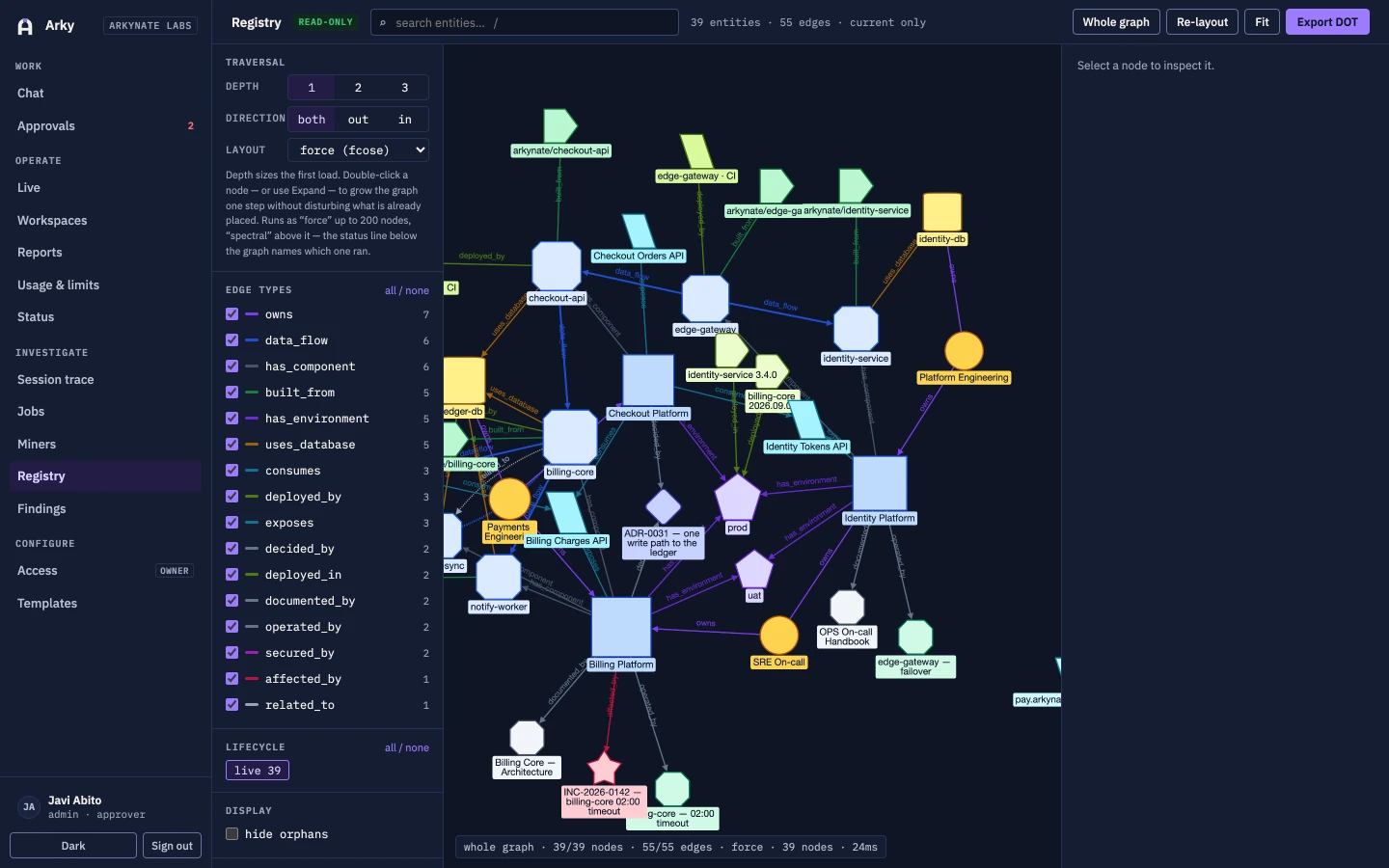
| Registry | Your estate as entities and typed edges, down to table level | Proposes a finding for a person to accept | Reviewed merge |
| Knowledge vault | Your written knowledge, mounted read-only in the session | Proposes a page as a pull request | Reviewed merge |
| Skills | The versioned playbooks that say how your team does a task | Proposes a playbook change as a pull request | Reviewed merge |
| Diagrams | Renders architecture and flow diagrams on a self-hosted renderer | — | Read-only |
| Attachments | Images, PDFs and text into a conversation, screenshots back out | — | Read-only |
Scroll the table sideways for the Writes and Gate columns.
Security and governance
Every control below is enforced by a service — the gateway, a tool server, or the database — rather than by an instruction inside a prompt. A request can shape what the model says next; deciding whether a call actually executes sits with the tool server that holds the credential.
| Control | Enforced where | What it means for you |
|---|---|---|
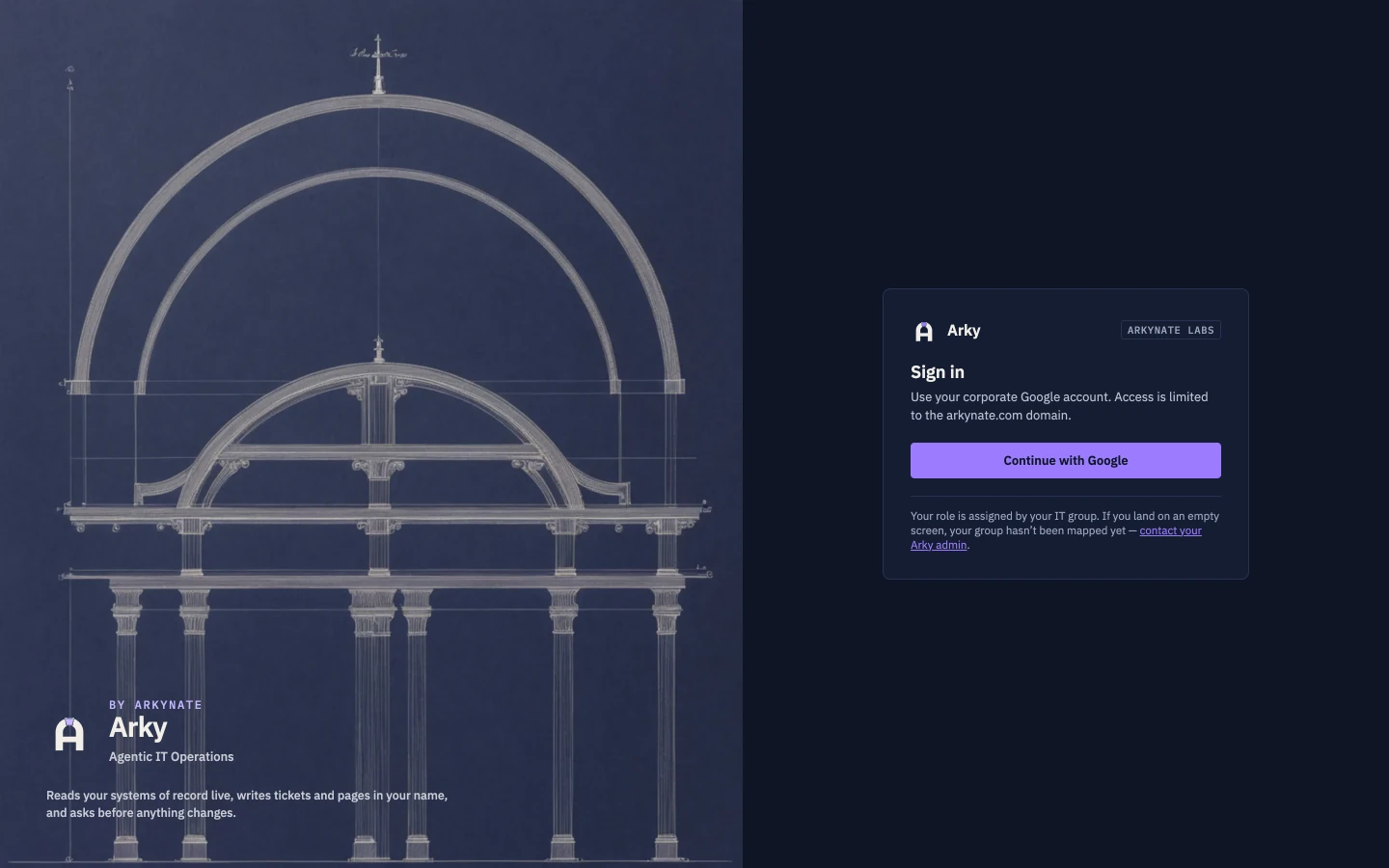
| Single sign-on over OIDC, restricted to your Google Workspace domain | Gateway | Sign-in is restricted to accounts in your Google Workspace domain, so access follows the accounts you already manage and already offboard. |
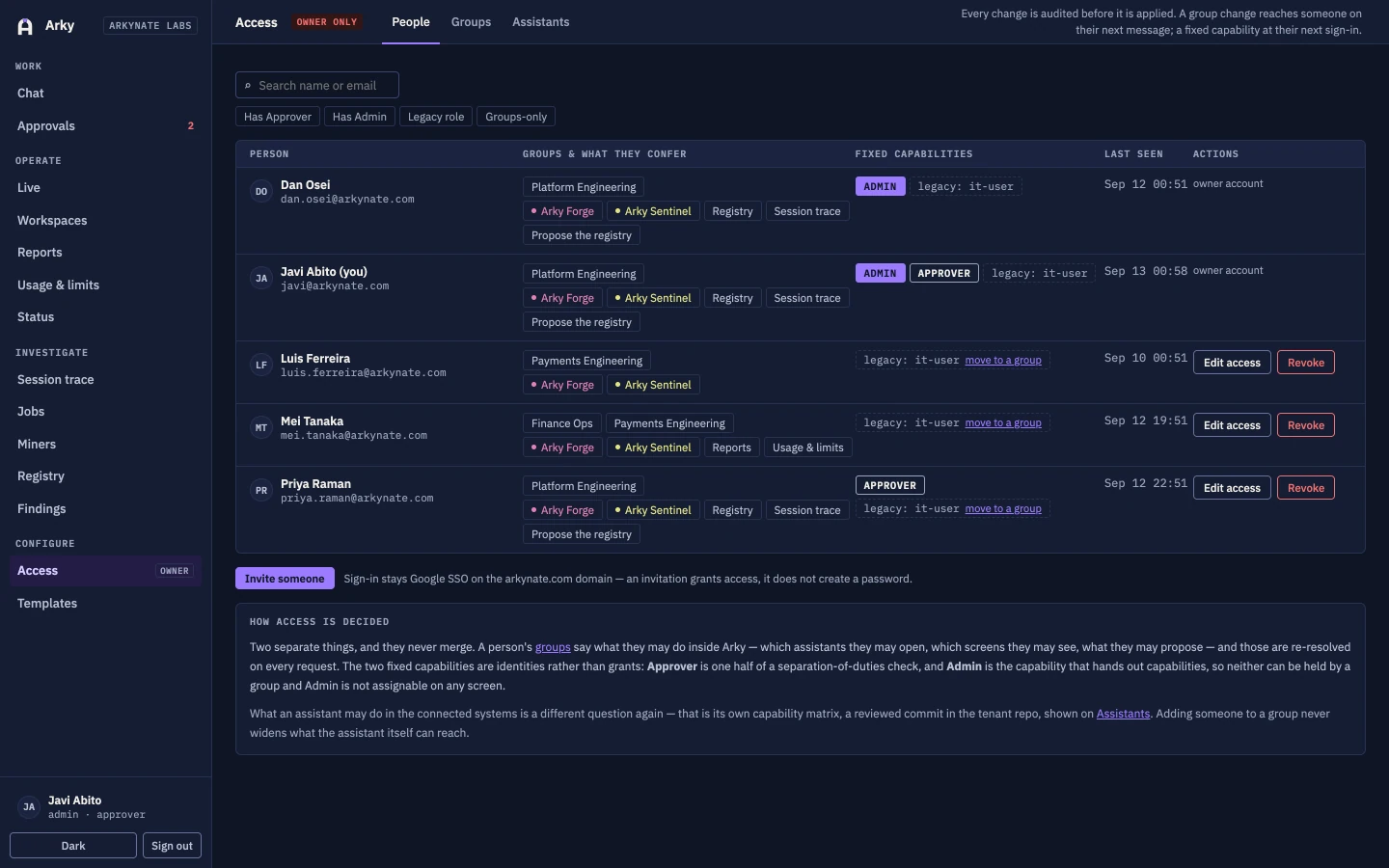
| Four roles — user, approver, admin, ops-admin — plus per-agent group grants | Gateway | Who may talk to Forge at all is a grant an administrator makes, not a setting in a chat window. |
| No credentials in the session; temporary home and workspace; no shell, no file writes, no fetches of its own | Agent session | The session holds no credentials and has no shell, filesystem or network access of its own, so a message can only reach what a tool server explicitly hands it. |
| The tool servers hold the credentials and decide whether a call runs | Tool server | Whether a call executes is decided by the tool server holding the credential, separately from the request that asked for it. |
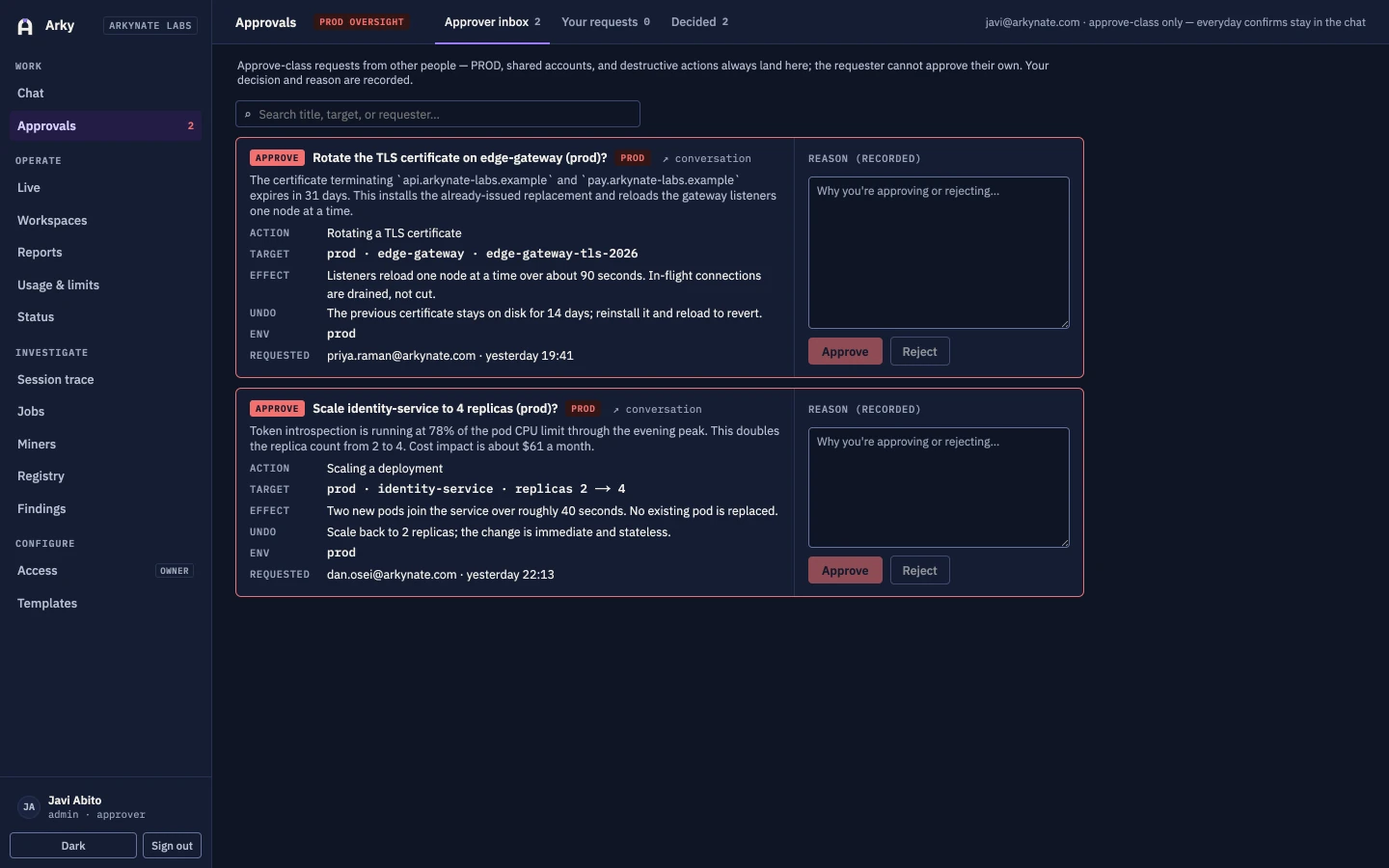
| Production is always the approve class, and the requester cannot approve their own change | Tool server | A production change costs a second person by construction, not by convention. |
| The audit row is written before the call goes out | Database | An action that failed halfway is still on the record, with who asked and what was intended. |
| Allowlist presentation filter, plus scrubbing for secrets and internal identifiers | Gateway | Model, provider, reasoning, tool input and output are filtered out before a response reaches a user. |
| Scheduled sessions are re-authorised when they fire and refuse every execute call | Tool server | Unattended work stays read-only, and fails closed if authorisation cannot be resolved. |
| Playbooks and knowledge change only through a reviewed pull request | Repository | Playbook and knowledge changes land as a pull request against your repository; merging into the main branch is a reviewer’s decision, so a bad suggestion costs a review comment rather than a change. |
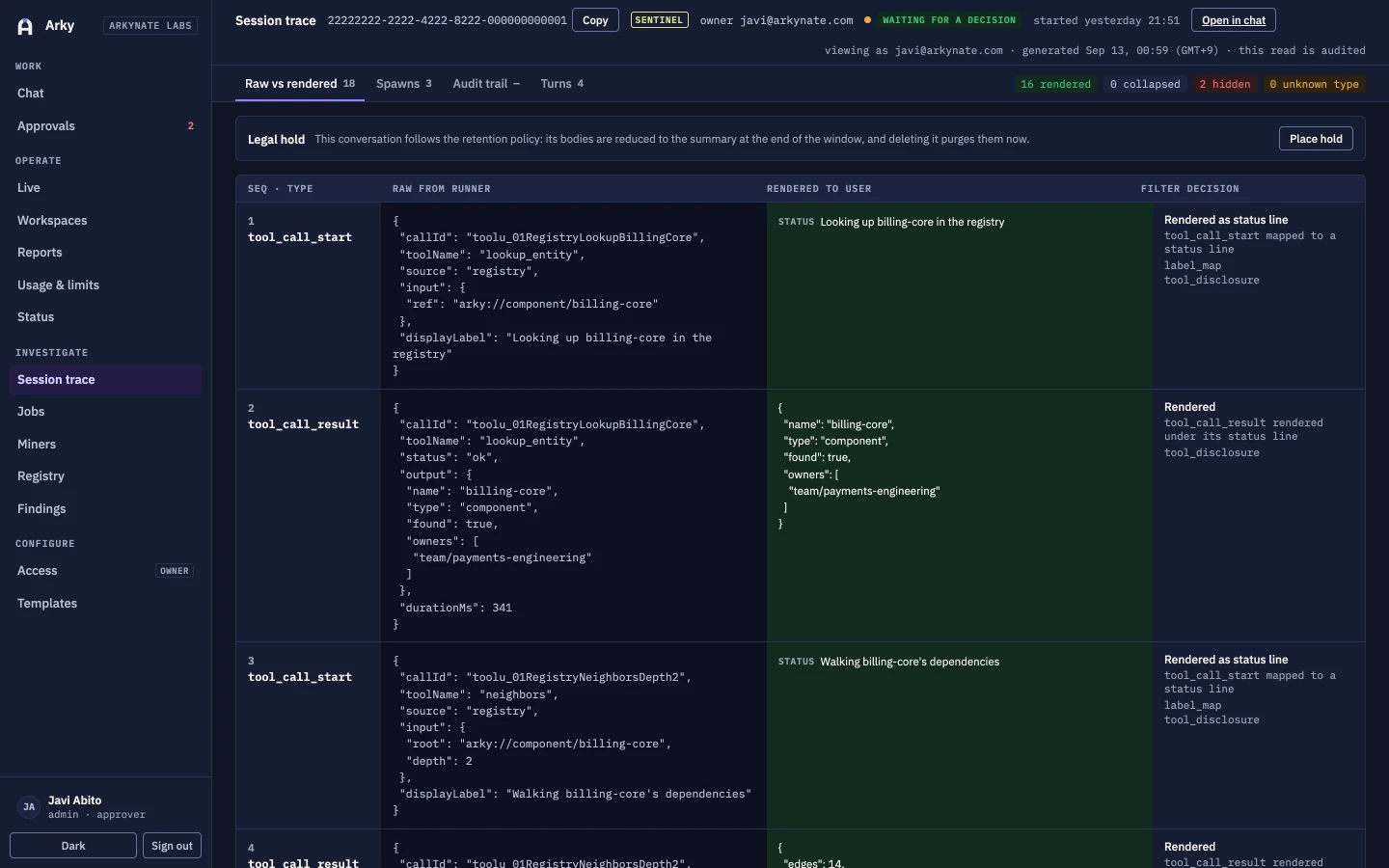
| Transcripts to object storage, a per-session trace view, and the knowledge and playbook commits per session | Database and object storage | An answer given last month can be reproduced against what was true last month. |
Scroll the table sideways for the last column.
How to verify this
The architecture and each enforcement point above are walked through in the preview call, against your own tenant, not a slide.
Pilot tenants get read access to the audit log and the per-session trace view from the first day of the pilot, not after a request.
An independent security review is planned before general availability. The preview is scoped so nothing production-facing runs unreviewed.
The surfaces
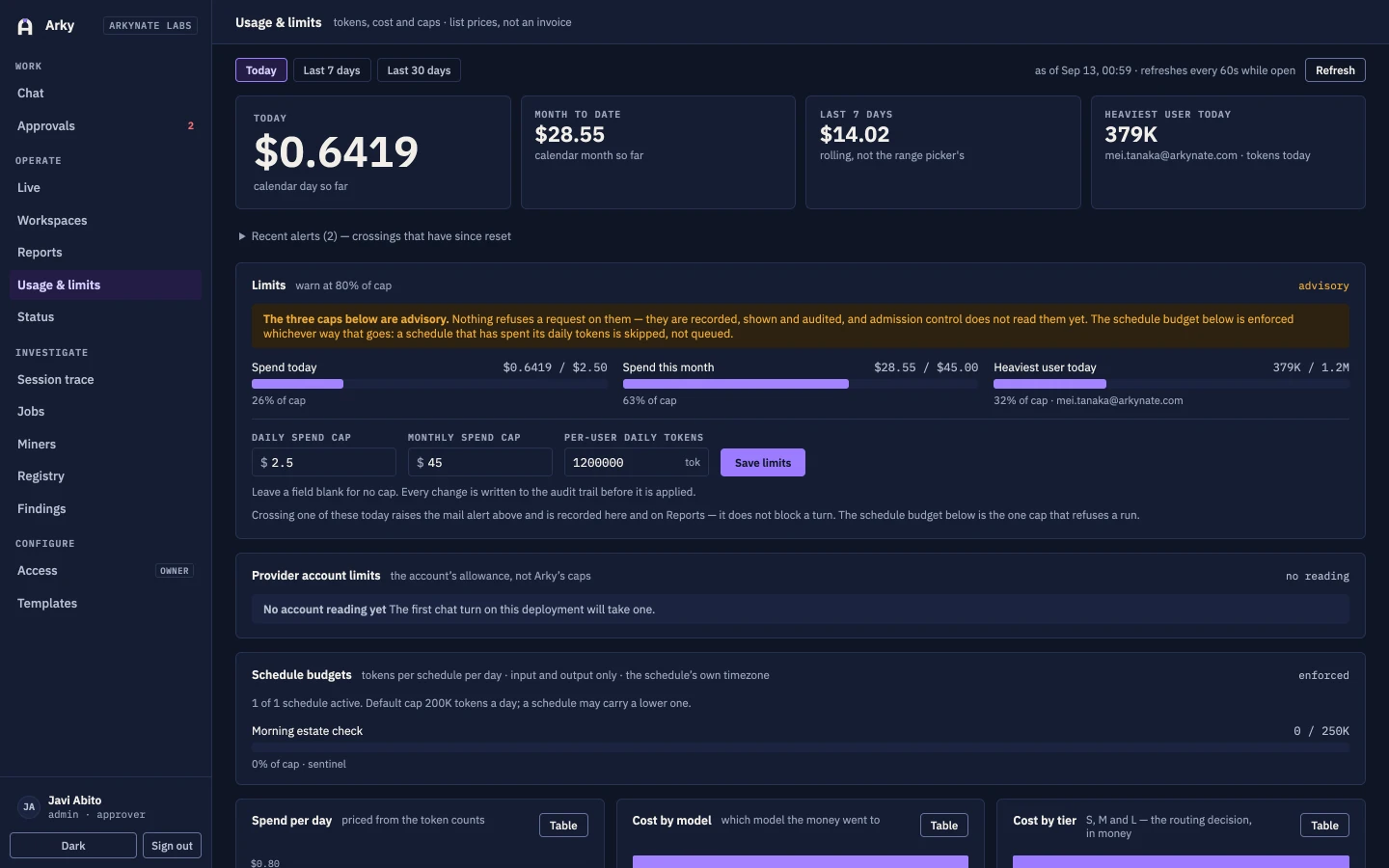
Twelve screens from a live deployment. The tenant shown is Arkynate Labs, and every name, colour and welcome line on them comes from that tenant's own configuration.
Tenancy and deployment
One deployment per customer, and every user-visible string is configuration rather than code — so renaming the assistant is a reviewed commit, not a release.
| Tenancy | Single-tenant. One deployment, one database and one object store per customer, shared with nobody. |
| Deployment | Kubernetes for the hosted lane, Docker Compose for local development. |
| Identity | Single sign-on over OIDC, restricted to your own Google Workspace domain. |
| Roles | user, approver, admin and ops-admin, plus per-agent and per-surface group grants. |
| State | PostgreSQL only. Transcripts and oversized payloads go to object storage. |
| Reads | Scoped service accounts, one per connector. |
| Writes | Delegated OAuth. The change lands as the person who asked for it. |
| Runtime | A frontier-model agent runtime. One isolated session per request. |
| Model tiers | Three tiers behind a router, with per-user budgets and a cost report. |
| Provider keys | Bring your own, held in a secret store and never present in a session. |
| Your repositories | The configuration repo and the knowledge vault. Neither main branch is written automatically. |
| Branding | Assistant name, agent names, colours, welcome text and status lines are all configuration. |
| Ownership | You own the data, Arkynate owns the code. A deployment ships as built services. |
| Status | Private preview. |
Questions
The six that come up in every first conversation.
Does Arky change anything on its own?
No. Reads happen freely; writes never do. A proposed change arrives as a card that names the target, the action and the effect, and nothing is sent upstream until a person answers it. The tool servers hold the credentials and are the gate, so a change cannot route around the card even if a request asks it to.
Who approves a change, and what always needs approval?
Routine, non-production changes are confirmed by the person who asked for them. Production and shared systems are always the approve class: a second person with the approver role decides, and the requester can never approve their own request. If a confirm-class change turns out to touch production, it is raised to the approve class rather than allowed through.
Which model is behind it?
Arky runs on a frontier-model runtime with three tiers behind a router, and you bring and hold your own provider keys in a secret store — the same arrangement described in the tenancy table above. Because the relationship is yours, the provider, the data-processing terms, and the model choice all sit with your own account, and the model can be swapped by configuration rather than a release. The provider is named in the deployment agreement rather than on this page.
Where does our data go?
Into your own deployment. Arky is single-tenant: reads run through tool servers inside it, conversations, approvals and audit live in its PostgreSQL database, and transcripts go to its object storage. Two repositories are yours — the configuration repo and the knowledge vault — and nothing writes to their main branches automatically.
How does it get better over time?
Miners read the telemetry, the feedback and the audit trail and propose new playbooks and knowledge as pull requests against your repositories. A person reviews and merges them. Nothing reaches a main branch on its own, at any confidence, which is why a bad suggestion costs a review comment rather than an incident.
Can we see exactly what it did?
Yes. The audit row is written before the action, not after, so an action that fails is still on the record. Administrators get a per-session trace view, a jobs view and a usage and cost report, and every session records the exact versions of the knowledge and playbooks it ran against — so an answer given last month can be reproduced against what was true last month.
Request a preview
Deployments are taken one organisation at a time. Tell us which systems your team lives in and what the first question would be, and we will tell you honestly whether Arky is ready for it.
A conversation about your estate
What your team is asked all day, which systems hold the answers, and who signs off on a change.
A scoped single-tenant deployment
Your own deployment, your own database, your connectors configured and your roles mapped.
A pilot with your own people
A real team, real questions, and your playbooks written down as we learn how you actually work.
Prefer email? Write to archon@arkynate.com and say what your team spends its afternoons on.
